
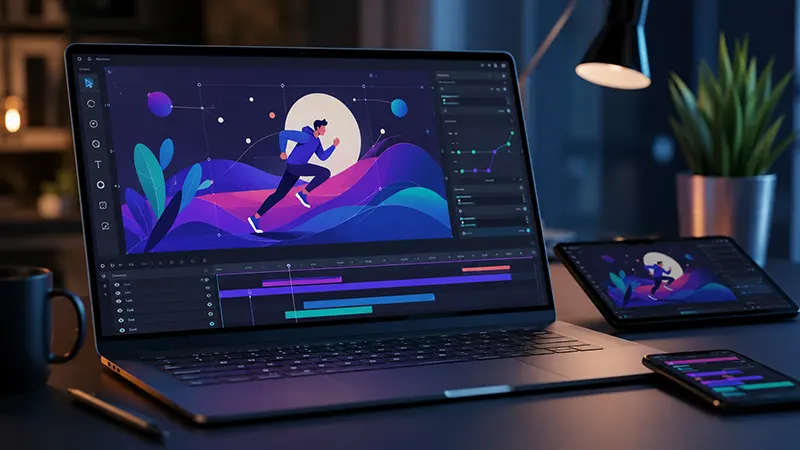
More than simply display information is modern websites are expected to do. Visitors now expect engaging interactions, smooth transitions, and visually appealing animations that work seamlessly across desktops, tablets, and smartphones. Animated illustrations, icons, buttons, and backgrounds have become essential components of user experience (UX), helping brands communicate ideas more effectively while keeping users engaged.
In the past, creating interactive vector animations required advanced knowledge of JavaScript, CSS, SVG programming, or animation frameworks. Today, no-code animation software has transformed the design process, enabling marketers, UI designers, entrepreneurs, and developers to create professional-quality interactive animations without writing a single line of code.
This article explores how interactive vector animation software supports responsive web design layouts, its benefits, essential features, and best practices for creating modern digital experiences.
The Rise of No-Code Web Animation
Responsive websites have become the standard because users access content from devices with varying screen sizes. At the same time, businesses want websites that feel dynamic rather than static.
Traditional animation workflows often involve multiple tools:
- Vector illustration software
- Motion graphics applications
- SVG optimization tools
- JavaScript animation libraries
- CSS transitions
- Front-end development
No-code animation platforms simplify this process by combining visual design and animation into a single workflow. Designers can create interactive assets through drag-and-drop interfaces while exporting web-ready files that integrate easily into websites.
This approach dramatically reduces production time while making advanced animation accessible to users without programming expertise.
Why Vector Animations Are Ideal for Responsive Websites
Unlike raster graphics, vector graphics are based on mathematical paths rather than pixels.
This offers several advantages:
Infinite Scalability
Vector illustrations remain sharp regardless of screen resolution. Whether viewed on a smartphone or a 4K monitor, they maintain crisp edges and clean details.
Smaller File Sizes
SVG and vector-based animation files are typically much smaller than videos or GIFs, helping improve page loading speed.
Better Performance
Lightweight vector animations consume fewer system resources, resulting in smoother interactions across modern browsers.
Easier Customization
Colors, shapes, and animation properties can often be edited without recreating the artwork from scratch.
These characteristics make vector animation particularly suitable for responsive web design.
Features to Look for in Interactive Vector Animation Software
Modern no-code animation platforms include a wide range of capabilities that simplify professional animation production.
Drag-and-Drop Timeline Editor
Visual timeline editors allow designers to:
- Move objects
- Adjust timing
- Add transitions
- Control easing
- Synchronize multiple elements
Everything can be managed visually without scripting.
Responsive Canvas
Responsive design previews allow creators to see how animations adapt across:
- Mobile devices
- Tablets
- Laptops
- Desktop monitors
This ensures animations remain visually balanced regardless of screen size.
SVG Animation Support
SVG remains one of the most popular formats for web animation.
Software should support:
- Path animations
- Shape morphing
- Stroke drawing
- Fill transitions
- Opacity changes
- Scaling
- Rotation
SVG-based animation combines excellent quality with efficient performance.
Interactive User Triggers
Modern websites rely on user interaction.
No-code animation software commonly supports triggers such as:
- Mouse hover
- Button clicks
- Page scrolling
- Viewport visibility
- Loop playback
- Timed sequences
- Touch interactions
These triggers help create engaging user experiences without requiring JavaScript programming.
Timeline-Based Motion Design
Professional animation relies on careful timing.
Timeline editors allow designers to create:
- Sequential animations
- Character movement
- Interface transitions
- Loading screens
- Product showcases
- Interactive infographics
Visual keyframes replace manual coding, making complex animations easier to manage.
Built-In Animation Presets
Many platforms include libraries of ready-made effects.
Examples include:
- Fade in
- Fade out
- Slide
- Bounce
- Scale
- Rotate
- Elastic motion
- Zoom
- Spin
- Reveal
- Morph
These presets accelerate production while maintaining professional quality.
AI-Powered Animation Assistance
Artificial intelligence is beginning to reshape animation workflows.
Some modern software can automatically:
• Suggest motion paths
• Create smooth transitions
• Improve timing
• Recommend easing curves
• Generate animated icons
• Produce responsive layouts
AI reduces repetitive work and helps beginners create polished animations quickly.
Responsive Design Integration
Animation should never interfere with website usability.
Modern software allows designers to create layouts that automatically adapt to different screen sizes.
Responsive animation includes:
- Flexible positioning
- Relative sizing
- Adaptive scaling
- Dynamic alignment
- Mobile optimization
Animations should enhance content rather than distract users.
Popular Uses for Interactive Vector Animation
Businesses use vector animation across many industries.
Common applications include:
Landing Pages
Animated illustrations immediately capture visitor attention while explaining products or services.
SaaS Platforms
Software companies use animated dashboards, onboarding sequences, and interactive tutorials to improve user engagement.
E-Commerce Websites
Animated product icons, shopping carts, and promotional banners encourage customer interaction.
Educational Platforms
Learning websites use motion graphics to simplify complex concepts and maintain student interest.
Corporate Websites
Professional animations create polished first impressions while reinforcing brand identity.
Improving User Experience Through Motion
Animation should always serve a purpose.
Effective motion design can:
- Guide user attention
- Highlight important content
- Explain functionality
- Confirm completed actions
- Improve navigation
- Reduce cognitive load
- Increase engagement
Subtle movement often performs better than excessive animation.
Performance Considerations
Although vector animation is lightweight, optimization remains important.
Best practices include:
- Compress SVG assets
- Minimize unnecessary layers
- Limit simultaneous animations
- Use hardware acceleration when available
- Optimize export settings
- Test across multiple devices
Fast-loading websites improve both user satisfaction and search engine rankings.
Accessibility Matters
Interactive animations should remain accessible to all users.
Designers should:
- Avoid excessive flashing
- Respect reduced-motion browser preferences
- Maintain readable content
- Ensure keyboard accessibility
- Preserve color contrast
- Keep navigation intuitive
Inclusive design creates better experiences for everyone.
Collaboration Without Code
One advantage of no-code animation software is improved teamwork.
Designers, marketers, content creators, and developers can collaborate more efficiently because everyone works with visual tools instead of source code.
Many platforms also support:
- Cloud collaboration
- Version history
- Shared design libraries
- Team commenting
- Asset management
These features streamline production for distributed teams.
The Future of Interactive Web Animation
As web technologies continue evolving, no-code animation platforms are becoming increasingly powerful. Artificial intelligence, responsive design automation, cloud collaboration, and real-time previews are reducing technical barriers while enabling designers to create sophisticated digital experiences faster than ever.
Businesses are also prioritizing faster websites, improved accessibility, and consistent branding across devices, making lightweight vector animation an increasingly valuable design asset.
Future platforms are likely to integrate AI-assisted storytelling, personalized animations, and adaptive interfaces that respond intelligently to user behavior without requiring manual programming.
Interactive Vector Animation Software
It has transformed responsive web design by allowing creators to produce engaging, scalable, and high-performance animations without writing code. Through drag-and-drop editors, timeline-based animation, SVG support, responsive previews, AI-powered assistance, and built-in interaction triggers, these platforms make professional motion design accessible to designers of all skill levels.
Whether building a landing page, SaaS dashboard, educational platform, or e-commerce website, no-code vector animation helps improve user engagement while maintaining fast performance and responsive layouts. As digital experiences continue to evolve, mastering these tools will become an increasingly valuable skill for modern web designers and content creators.

