
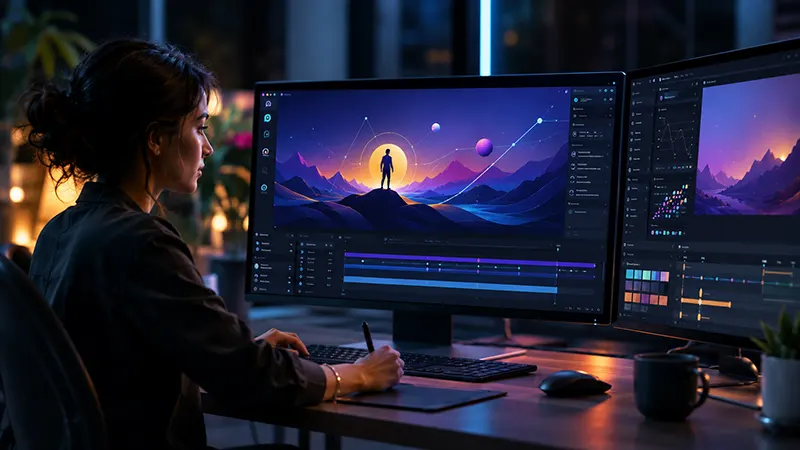
Attention spans are shorter than ever in today’s digital world, and websites have only a few seconds to make a lasting impression. As a result, static graphics are rapidly losing ground to dynamic, interactive content that captures users’ attention and encourages engagement. Whether it’s an animated website header, an interactive call-to-action button, or a scrolling illustration that responds to user behavior, motion graphics have become an essential part of modern web design.
The good news is that designers no longer need extensive coding knowledge to create these experiences. A growing number of online design platforms now allow users to design, animate, and export interactive motion graphics through intuitive visual interfaces. These no-code solutions make it possible to build sophisticated micro-interactions and responsive animations without writing JavaScript, CSS animations, or SVG code manually.
This guide explores how to create interactive web motion graphics using online design tools while highlighting the techniques, best practices, and benefits of designing engaging micro-interactions for modern websites.
Why Motion Graphics Are Replacing Static Design
Static images still have their place, but today’s web users expect richer digital experiences. Motion naturally draws the eye, helping visitors understand content faster while creating a more memorable browsing experience.
Interactive animations improve websites by:
- Capturing attention immediately
- Guiding users through page layouts
- Highlighting important actions
- Improving storytelling
- Reinforcing brand identity
- Providing visual feedback
- Increasing visitor engagement
Instead of overwhelming users, well-designed motion subtly directs attention where it matters most.
The Rise of No-Code Motion Design
Not long ago, building interactive animations required knowledge of multiple programming languages and animation frameworks. Designers often created mockups while developers rebuilt those animations using custom code.
Today, online design tools have simplified this process dramatically.
Modern platforms provide visual editors where designers can:
- Create vector illustrations
- Animate objects
- Build interactive prototypes
- Preview responsive layouts
- Export web-ready animations
- Collaborate with development teams
Everything happens through drag-and-drop interfaces rather than traditional coding environments.
This shift allows designers to maintain creative control while significantly reducing production time.
Understanding Micro-Interactions
Micro-interactions are small animations triggered by user actions or system events. Although they often last only a fraction of a second, they play an important role in improving usability.
Examples include:
- Buttons changing appearance on hover
- Icons rotating after being clicked
- Navigation menus sliding into view
- Cards lifting slightly when selected
- Progress indicators
- Form validation animations
- Loading indicators
- Notification badges
- Animated search bars
These subtle interactions create a smoother, more intuitive browsing experience while making interfaces feel responsive.
Planning Before You Animate
Every successful motion graphic begins with a clear purpose.
Before opening an online design platform, ask yourself:
- What should visitors notice first?
- Which interaction should animation encourage?
- How does the motion support the content?
- Will the animation improve usability?
Purposeful animation always performs better than decorative movement.
The goal is to guide users—not distract them.
Choosing the Right Online Design Platform
Many browser-based design platforms now include advanced animation capabilities suitable for web design.
Look for tools that support:
- Timeline animation
- Drag-and-drop editing
- Interactive triggers
- Responsive layouts
- Cloud collaboration
- Component libraries
- Vector graphics
- SVG export
- Lottie animation
- Developer handoff
These features make it easier to create production-ready assets without additional software.
Design Using Vector Graphics
Interactive web animations should remain crisp on every screen size.
Vector graphics are ideal because they:
- Scale infinitely
- Produce smaller file sizes
- Export efficiently
- Maintain sharp edges
- Support animation easily
Website headers commonly include vector-based:
- Logos
- Icons
- Decorative shapes
- Abstract illustrations
- Characters
- Infographics
Using vectors helps improve both image quality and loading performance.
Building Motion Through Timelines
Most online animation platforms include timeline editors that organize animation sequences visually.
Instead of writing code, designers create movement by adjusting properties such as:
- Position
- Rotation
- Scale
- Opacity
- Blur
- Shadow
- Color
- Layer visibility
Keyframes define when changes occur, while easing controls determine how smoothly objects move between those points.
This visual workflow makes professional animation accessible even for beginners.
Designing Interactive Header Animations
The homepage header is often the first area visitors encounter.
Effective header animations may include:
Animated Headlines
Text can fade, slide, or gently reveal itself as the page loads.
Floating Illustrations
Subtle movement adds depth without distracting from important content.
Interactive Buttons
Call-to-action buttons respond when hovered or clicked, encouraging user engagement.
Animated Background Shapes
Slow-moving abstract graphics create visual energy while maintaining readability.
Product Showcases
Objects rotate, slide, or scale slightly to highlight products or services.
The most effective header animations are subtle, elegant, and aligned with the overall brand identity.
Adding User Triggers
Motion becomes significantly more engaging when it responds to user actions.
Popular interaction triggers include:
Hover
Elements react when the cursor moves over them.
Scroll
Animations appear as visitors move through the page.
Click
Buttons confirm user actions with smooth transitions.
Page Load
Hero sections animate immediately after the website opens.
Continuous Ambient Motion
Small floating elements create life without requiring interaction.
Combining these interactions creates websites that feel dynamic and intuitive.
Maintaining Responsive Design
Interactive graphics must function across every device.
Responsive animation ensures that motion adapts naturally to:
- Smartphones
- Tablets
- Laptops
- Desktop computers
- High-resolution displays
Most online platforms provide responsive previews so designers can verify layouts before publishing.
Animations should remain smooth without interfering with readability or usability.
Optimizing Performance
Even beautiful motion graphics lose value if they slow down a website.
Performance optimization includes:
- Compressing assets
- Using SVG graphics
- Exporting lightweight Lottie files
- Limiting simultaneous animations
- Reusing design components
- Avoiding unnecessary visual effects
Fast-loading websites create better user experiences while supporting SEO performance.
Collaborating With Teams
Cloud-based design tools simplify teamwork.
Designers, marketers, developers, and clients can collaborate through:
- Live editing
- Shared libraries
- Comment threads
- Version history
- Team workspaces
- Asset management
Instead of exchanging countless files through email, everyone works from a single source of truth.
This greatly improves efficiency throughout the design process.
Exporting Motion Graphics for the Web
Once animations are complete, designers can export them in several formats.
Popular options include:
- SVG
- Lottie JSON
- WebM
- MP4
- PNG sequences
- Optimized GIFs
Lottie has become particularly popular because it delivers high-quality vector animation with remarkably small file sizes, making it ideal for modern responsive websites.
Accessibility Matters
Animation should enhance—not hinder—the browsing experience.
To ensure accessibility:
- Respect users’ reduced-motion preferences.
- Avoid rapid flashing effects.
- Maintain strong color contrast.
- Keep content readable during animations.
- Ensure navigation remains keyboard accessible.
Thoughtful motion design creates inclusive digital experiences for a wider audience.
The Role of Artificial Intelligence
Artificial intelligence is rapidly changing how interactive graphics are created.
Many online design tools now use AI to:
- Generate illustrations
- Suggest animation sequences
- Recommend color palettes
- Create responsive layouts
- Produce icon variations
- Automate repetitive tasks
Rather than replacing designers, AI acts as a creative assistant, helping teams work faster while leaving strategic decisions and storytelling in human hands.
Looking Ahead
Interactive motion graphics are becoming a standard feature of modern web design. As browser technology, cloud collaboration, and AI-powered design continue to evolve, creating sophisticated animations will become even more accessible.
Future online design platforms are expected to integrate advanced personalization, adaptive interfaces, and smarter automation, enabling designers to create engaging experiences with minimal technical complexity.
Static graphics are rapidly giving way to interactive content that captures attention and enhances the user experience. Thanks to modern online design tools, creating web motion graphics no longer requires extensive coding expertise. Designers can now build responsive animations, engaging micro-interactions, and dynamic website headers through intuitive visual interfaces.
By combining vector graphics, timeline animation, responsive layouts, user-triggered interactions, cloud collaboration, and optimized exports, businesses can deliver visually compelling websites that strengthen their brand, improve usability, and keep visitors engaged. As no-code platforms and AI-driven design continue to advance, mastering interactive web motion graphics will become an increasingly valuable skill for designers, marketers, and digital creators alike.

