
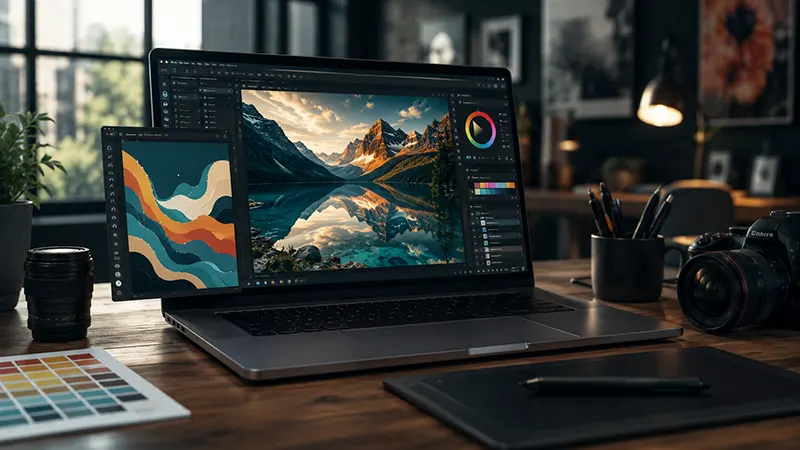
As creative work increasingly shifts to the cloud, designers are rethinking the software they rely on every day. Rising subscription costs have led to what many call subscription fatigue, where freelancers, students, startups, and small businesses are looking for high-quality alternatives that don’t require expensive monthly payments. Instead of investing in costly desktop applications, many creatives are turning to browser-based graphic design platforms that deliver professional capabilities at little or no cost.
Today’s free online graphic design software has evolved far beyond simple image editors. Many platforms now offer advanced vector illustration tools, professional photo editing, layer management, typography controls, masking, AI-powered features, and collaborative workflows—all accessible directly from a web browser. For freelance designers who need flexibility without sacrificing quality, these applications have become valuable additions to their creative toolkit.
This guide explores what makes the best free online graphic design software suitable for professional vector and photo editing, the features to prioritize, and how browser-based tools are changing the future of digital design.
Why Browser-Based Design Software Is Growing in Popularity
For years, professional designers relied on expensive desktop software installed on powerful computers. While these applications remain important, browser-based platforms have significantly improved thanks to faster internet connections, cloud computing, and modern web technologies.
Online design software offers several advantages: no software installation, cross-platform compatibility, automatic updates, cloud storage, real-time collaboration, lower hardware requirements, easy project sharing, reduced software costs.
These benefits make browser-based applications especially attractive for freelancers working across multiple devices or collaborating remotely.
Understanding Subscription Fatigue
Many creative professionals now manage subscriptions for design software, cloud storage, project management, communication platforms, and stock media services. Over time, these recurring costs can become a significant business expense.
Free online graphic design software provides an opportunity to reduce overhead while maintaining access to professional creative tools. Although premium plans often unlock additional features, many free versions include everything needed for everyday design projects.
For freelancers and startups, reducing software costs allows more budget to be invested in marketing, equipment, education, or business growth.
Essential Features for Professional Graphic Design
Not every free design platform is suitable for professional work. Designers should look for tools that provide flexibility without limiting creative control.
Key features include:
Vector Illustration
Vector editing is essential for creating: logos, icons, brand assets, infographics, packaging graphics, marketing illustrations, technical diagrams.
Unlike raster graphics, vectors can scale infinitely without losing quality.
Advanced Photo Editing
Professional image editing should support: layer-based editing, non-destructive adjustments, color correction, cropping, masking, blending modes, retouching, background removal.
These capabilities allow designers to create polished marketing materials without dedicated desktop software.
Layer Management
Complex projects often contain dozens of visual elements.
Professional software should include: layer groups, locking, opacity controls, blend modes, smart organization, visibility toggles.
Effective layer management improves productivity and simplifies revisions.
Typography Tools
Typography plays a critical role in branding and digital communication.
Look for platforms that provide: font libraries, custom font uploads, text effects, kerning adjustments, line spacing, character spacing, text alignment, paragraph controls.
Strong typography features contribute to polished, professional layouts.
Precision Vector Editing
Professional designers require accurate drawing tools.
Useful capabilities include: pen tool, shape builder, boolean operations, anchor point editing, bezier curves, path simplification, stroke customization.
These tools allow precise illustration and logo development suitable for commercial use.
AI-Powered Design Assistance
Artificial intelligence has become one of the biggest innovations in online creative software.
Modern platforms increasingly include AI features such as: background removal, image enhancement, object selection, content generation, smart resizing, auto layout suggestions, color palette recommendations, generative image editing.
These capabilities help designers complete repetitive tasks more efficiently while maintaining creative control.
Browser Performance Has Improved
One concern surrounding web-based software has traditionally been performance. However, modern browsers and cloud technologies now support complex creative workflows that were once possible only through desktop applications.
Many browser-based editors now handle: large canvases, high-resolution images, multiple artboards, layer-intensive projects, complex vector paths, real-time rendering.
As a result, freelancers can work productively without constantly switching between desktop and cloud applications.
Collaboration Becomes Easier
One of the biggest strengths of browser-based software is collaborative editing.
Creative teams can: share projects instantly, leave comments, review revisions, edit simultaneously, track version history, organize shared assets.
This improves communication while reducing file management challenges.
Professional Applications
Modern online graphic design software supports numerous creative industries.
Typical use cases include: logo design, brand identity, website graphics, social media content, product packaging, presentation design, digital advertising, print marketing, UI design, marketing campaigns.
Many freelancers successfully complete commercial projects entirely within browser-based design environments.
Cloud Storage Advantages
Cloud integration simplifies creative workflows.
Benefits include: automatic saving, file synchronization, remote access, backup protection, version recovery, shared libraries.
Designers can continue projects from virtually any computer with internet access.
Export Flexibility
Professional software should support multiple export formats.
Common options include: SVG, PNG, JPEG, PDF, WebP, EPS (where supported), transparent backgrounds.
Multiple export formats allow designs to be used across both digital and print media.
Performance Optimization
Even browser-based software benefits from efficient workflows.
Designers can improve performance by: organizing layers, compressing images, removing unused assets, using vectors whenever possible, limiting oversized canvases, cleaning unnecessary effects.
Efficient project management keeps editing smooth even on modest hardware.
Accessibility for Beginners and Professionals
One advantage of modern online design platforms is their approachable learning curve.
Beginners benefit from: drag-and-drop interfaces, templates, built-in tutorials, AI assistance.
Meanwhile, professionals appreciate: precision editing, keyboard shortcuts, layer controls, advanced vector tools, flexible export options.
This balance makes browser-based software suitable for a wide range of users.
The Future of Browser-Based Graphic Design
Cloud computing, artificial intelligence, and modern web technologies continue to close the gap between online platforms and traditional desktop applications. Future browser-based design tools are expected to offer faster rendering, deeper AI integration, improved collaboration, and enhanced compatibility with professional workflows.
As internet infrastructure improves and more businesses adopt remote work, browser-based creative software will likely become an even more important part of the professional design ecosystem. Designers will increasingly benefit from applications that combine affordability, accessibility, and powerful editing capabilities in a single online workspace.
Subscription fatigue has encouraged many freelance designers to explore free online graphic design software capable of delivering professional-quality vector illustration and photo editing. Today’s browser-based platforms provide advanced tools for branding, marketing, web design, digital illustration, and image editing while eliminating many of the costs associated with traditional desktop software.
By choosing platforms with strong vector editing, layer management, typography controls, AI-powered features, responsive performance, and flexible export options, designers can build efficient creative workflows without relying exclusively on expensive subscription-based applications. As browser technology continues to evolve, free online graphic design software will play an increasingly significant role in helping creative professionals produce high-quality work while maintaining greater financial flexibility.

